
Appearance
Your account
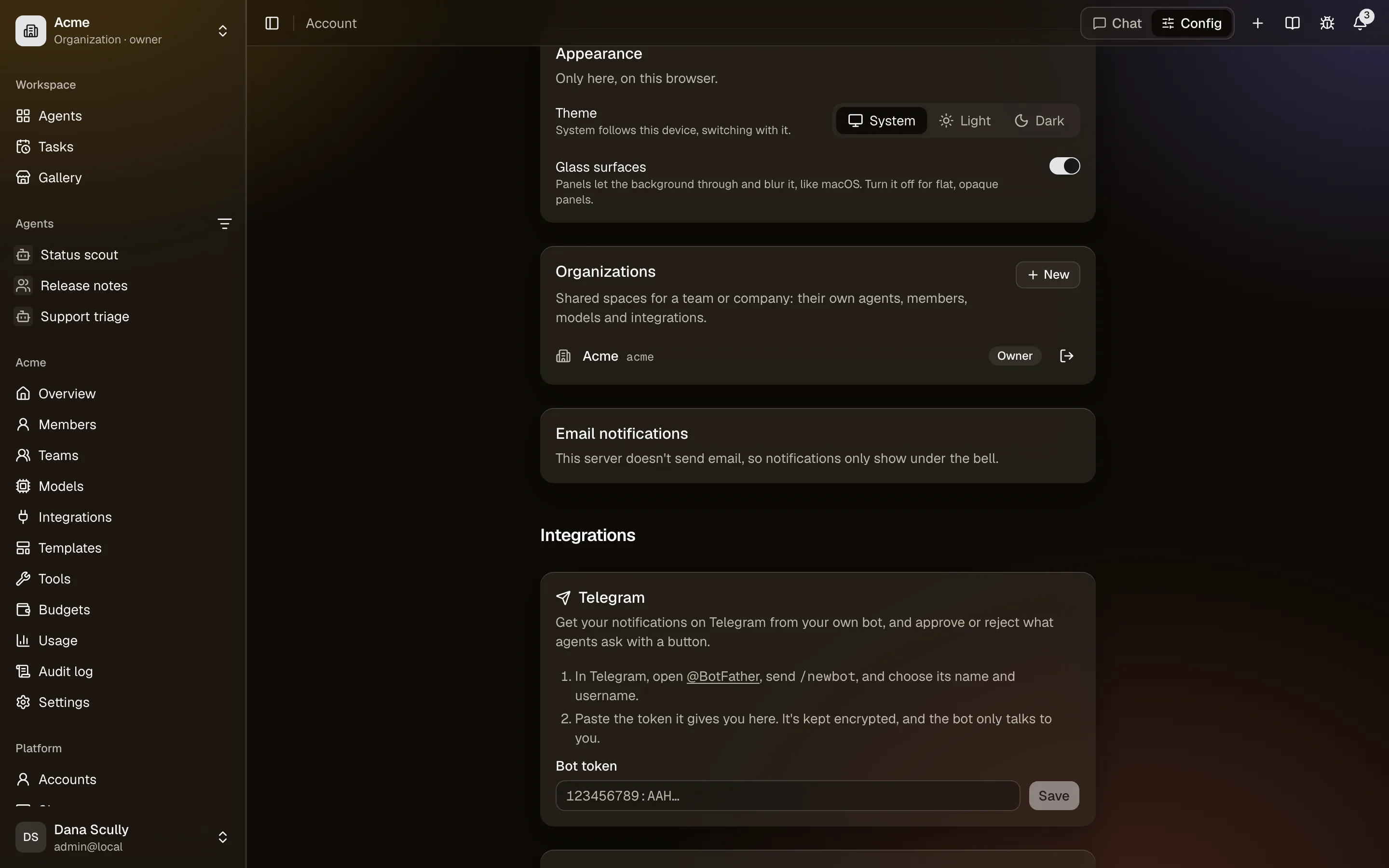
Account (your name at the bottom of the sidebar) holds what's yours rather than a space's: how you sign in, where you hear from CrewHall, the accounts agents use for you, and your keys. Under your profile, appearance, organizations and email notifications, the page groups the rest: Integrations (Telegram, Slack, Connections, API keys), then Security (sign-in methods and two-factor authentication), your password, and deleting your account.
Signing in
- Profile: your display name. Your username is your personal space's address,
/you. - Password: change it, or set one if you signed up with Google or GitHub.
- Sign-in methods: connect or disconnect Google and GitHub, as long as one way to sign in is left.
- Appearance: light, dark, or System to follow your device (the default), and glass panels that blur the background, or flat ones. Remembered on this browser; the theme is also in the account menu, at the bottom of the sidebar.
Two-factor authentication
Two-factor authentication → Turn on: scan the QR code with an authenticator app (Google Authenticator, 1Password, Authy…), type the code it shows, and keep the ten recovery codes you're given. Each works once, in case you lose your phone. From then on, signing in asks for a code from the app after your password, or after Google or GitHub; so does resetting a forgotten password.
Lost your phone and your recovery codes? A platform administrator can turn it off for you. You're signed out everywhere and get an email saying so. An organization can require it of its members.
Hearing from CrewHall
What agents and colleagues want you to know shows under the bell: task results and problems, writes waiting for your approval, mentions in halls, invitations. You can also get them:
- by email, kind by kind, at once or in a daily digest (Tasks → Being told);
- on Telegram, from your own bot, with Approve and Reject buttons (Telegram);
- in Slack, by connecting your Slack account where your space uses it (Slack).
Accounts agents use for you
Connections lists the integrations that act with each person's own account (Slack, Google, GitHub, Notion…): connect, reconnect or disconnect yours. Agents never see more than you could (Integrations).
API keys
API keys let scripts and CI jobs ask your agents things, as you (Calling agents from code).
Organizations and limits
Organizations lists the ones you belong to, with your role; leave one from there. When the server limits what its own models cost per person, your limit and what you've used this month show here too (Models and keys).
Reporting a problem
Help (the question mark in the top bar) → Report a problem sends the server's support a description of what went wrong, with your name and email so they can answer, and the page you were on.
Deleting your account
Delete my account, then type your username (and your password, if you have one). It deletes your personal space and everything in it, your conversations and tasks everywhere, your connected accounts, your ways to sign in, your Telegram and Slack connections, your API keys, and the memory notes agents saved from you, and signs you out everywhere. Organizations keep the agents you created in them (an owner of each takes them over) and your messages in their halls, without your name; usage and audit records stay without your email. You get an email confirming it.
The last owner of an organization can't delete their account: make someone else an owner, or delete the organization, first. The same goes for the server's only administrator.