
Appearance
Halls
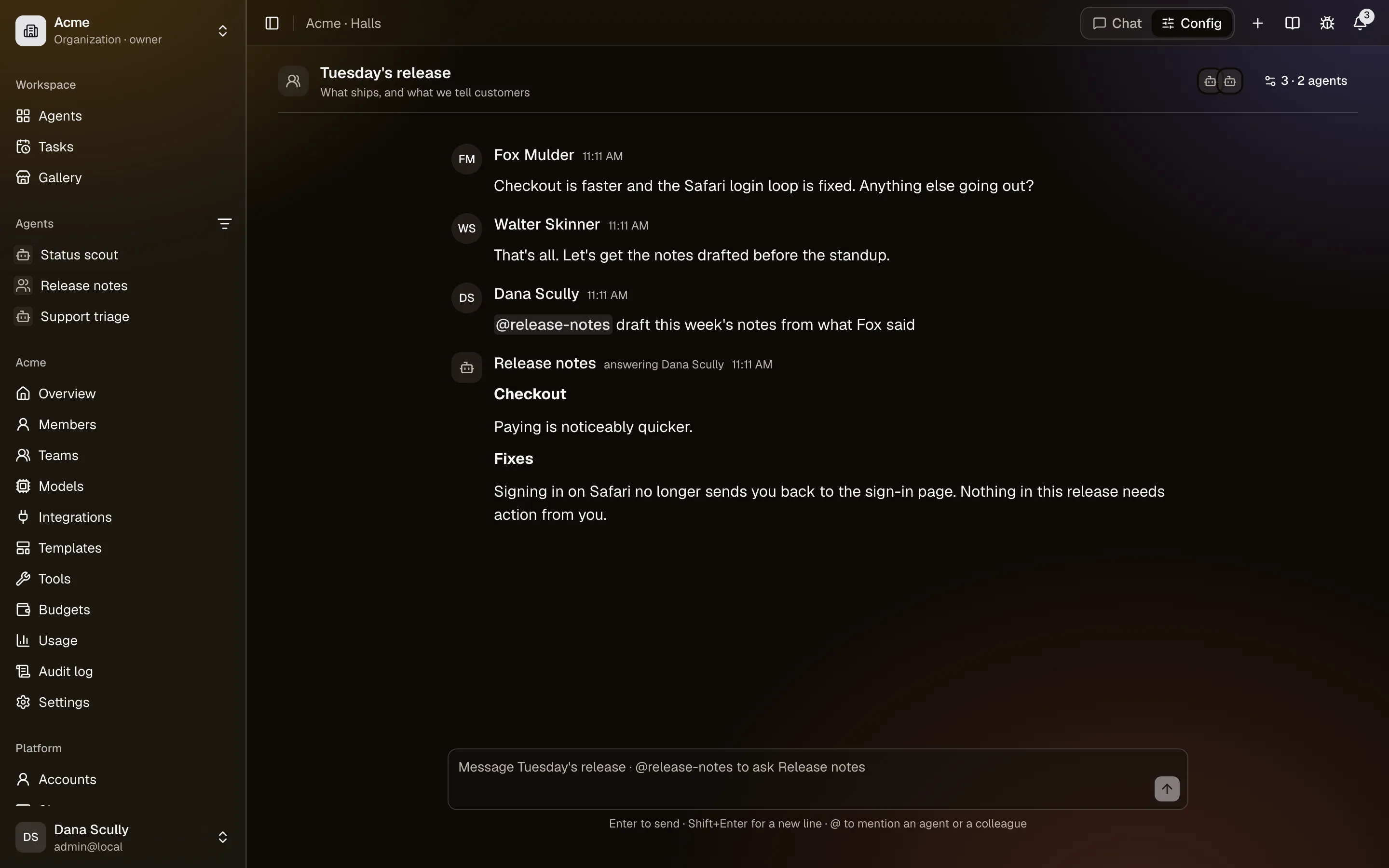
A hall is a conversation where several people talk, and bring agents in when they need them: discuss a release, then ask an agent for its view, or to update a document according to what was said. In your personal space, a hall is you with several agents at once: a lawyer and an accountant on the same contract, a developer and a reviewer on the same design.
Halls are in the Chat view, under Halls in the sidebar of each organization you belong to, and of your personal space.
Creating a hall
Click + next to Halls, give it a name and, if you like, a topic, then pick:
- People (in an organization): its members. Only they can be in its halls.
- Agents: the organization's published agents that are shared with you. In your personal space: your own agents, and those shared with you from outside your organizations (an organization's agents stay in its halls).
Anyone in the hall can add colleagues and agents later from the hall's panel (the button at the top right). Its creator and the organization's owners and admins can also rename it, take people out, or delete it with all its messages. Anyone can leave, except the last person.
Talking to an agent
Type @ in the message box to pick an agent or a colleague. In an organization's hall, an agent answers only when it's mentioned (three at most in one message), so a discussion between people costs nothing. In a personal hall, a message without a mention goes to all its agents (three at most; with more, mention the ones you want).
When several agents are asked in the same message, they answer one after another, in the order you mentioned them (in a personal hall, the order they were added). Each reads the answers given before its own and is told who else was asked, so the second can build on the first, or disagree. An answer waiting for its turn can be stopped before it starts.
When you ask an agent:
- It reads the hall's last 40 messages, with each person's name, and answers you.
- It works as you: your access to it, your connected accounts in its integrations, and its changes wait for your approval (see asking before writing). Others in the hall see the approval card, and only you decide.
- Everyone in the hall sees its answer as it's written. Keep that in mind before asking it to read something private from your accounts.
- You (or whoever manages the hall) can Stop it; what it said so far stays.
Everyone in a hall sees all its agents, but only the people an agent is shared with can mention it: a hall never shares an agent. An agent's own messages never call another agent; to have agents work together, give one coworkers.
Mentioning a colleague with @username sends them a notification.
What's kept, and who sees it
Messages and answers stay in the hall until it's deleted. Each answer is recorded like any other: its usage counts against the agent's organization and budgets, its tool calls are in the audit log, and what the agent saves to memory follows the agent's usual rules for the person who asked.
The organization's owners and admins can read any of its halls without being in it (each time is recorded in the audit log), and join it. Someone who leaves the organization leaves its halls. Nobody else reads a hall of your personal space.