
Memory
An agent can keep notes between conversations. They are the agent's, not yours: everyone who talks to it benefits from what it learned, and everyone can see where each note came from.
How it works
Turn memory on in Configure. From then on, its notes are included in its prompt whenever it answers, and conversations that are allowed to teach get two extra tools: one to save a note, one to forget one.
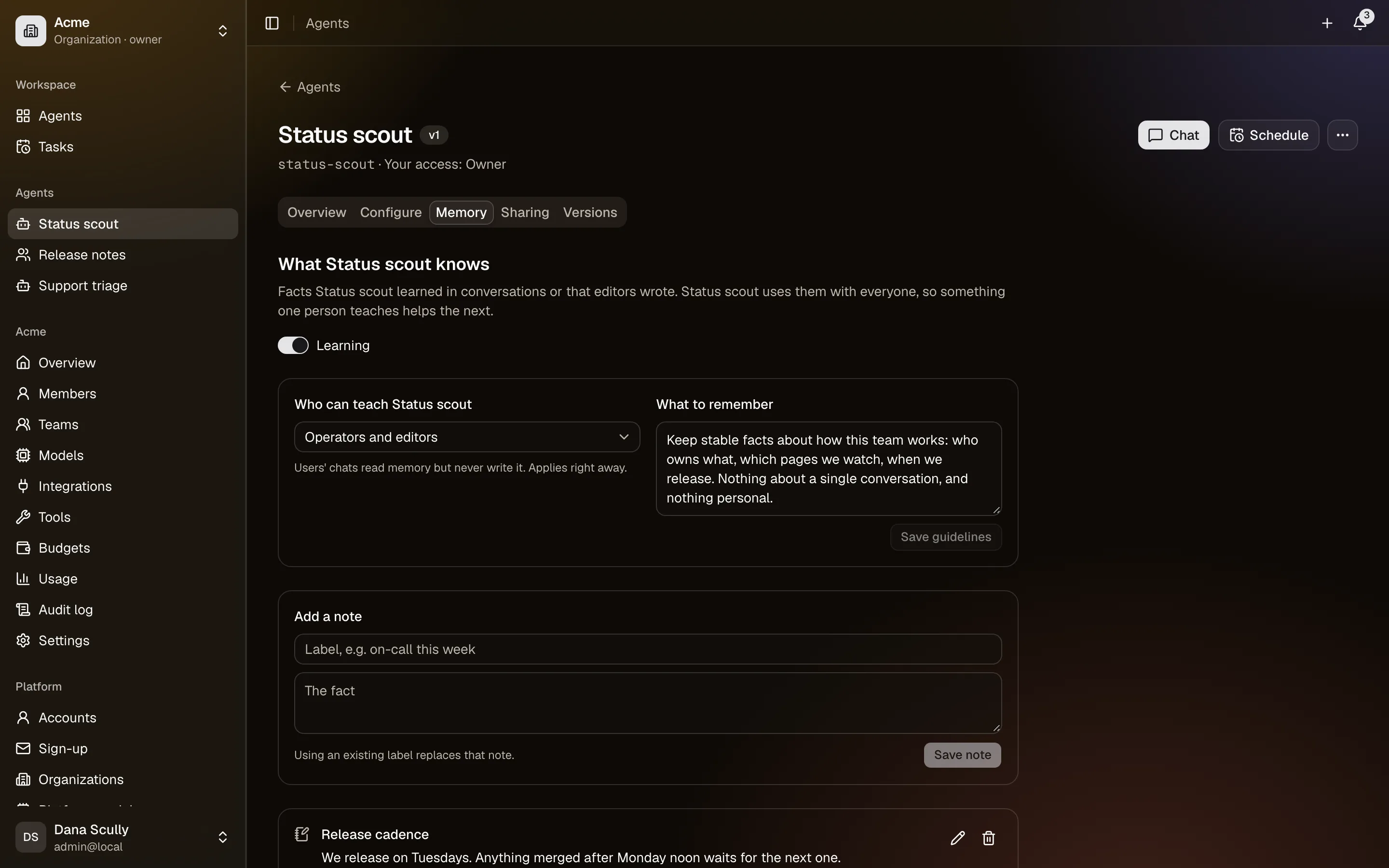
Each note is a short label and a value, with provenance: who taught it and when. The Memory tab lists them, and anyone with operator access can read it.
Who may teach it
Memory teaching decides which conversations can change it:
| Setting | Who can teach |
|---|---|
| Operators and editors (default) | People who already understand the agent |
| Everyone | Anyone who can chat with it |
| Nobody | No one; notes are managed by hand in the Memory tab |
Start at the default. "Everyone" is right for an agent whose users are all colleagues you trust and whose knowledge genuinely comes from them. It is wrong for an agent shared widely, because a note saved from a careless conversation is then used in everyone else's answers.
Guidelines
Memory guidelines tell the agent what is worth keeping. Without them agents save too much. Something like:
Save stable facts about how this team works: service owners, release process, naming. Do not save anything about one conversation, anything personal, or anything that will be wrong next week.
What to watch
- Notes are shared. If someone tells the agent something wrong, the next person gets it. The Memory tab is worth a look now and then; editors can correct or forget notes.
- Not a database. Notes go in the prompt, so they cost tokens on every answer and there is a cap on how many an agent keeps. Keep them short and few.
- Not a secret store. Never teach an agent a password or a key. Those belong in integrations, which keep them encrypted and never show them to a model.
Chat shows a marker whenever the agent saves or forgets something, so you can see it happen.