
Appearance
Slack
A space can connect its Slack workspace, so people talk to its agents where they already work: mention the bot in a channel with an agent's name, or write to it directly. The agent answers in a thread, as the person who asked.
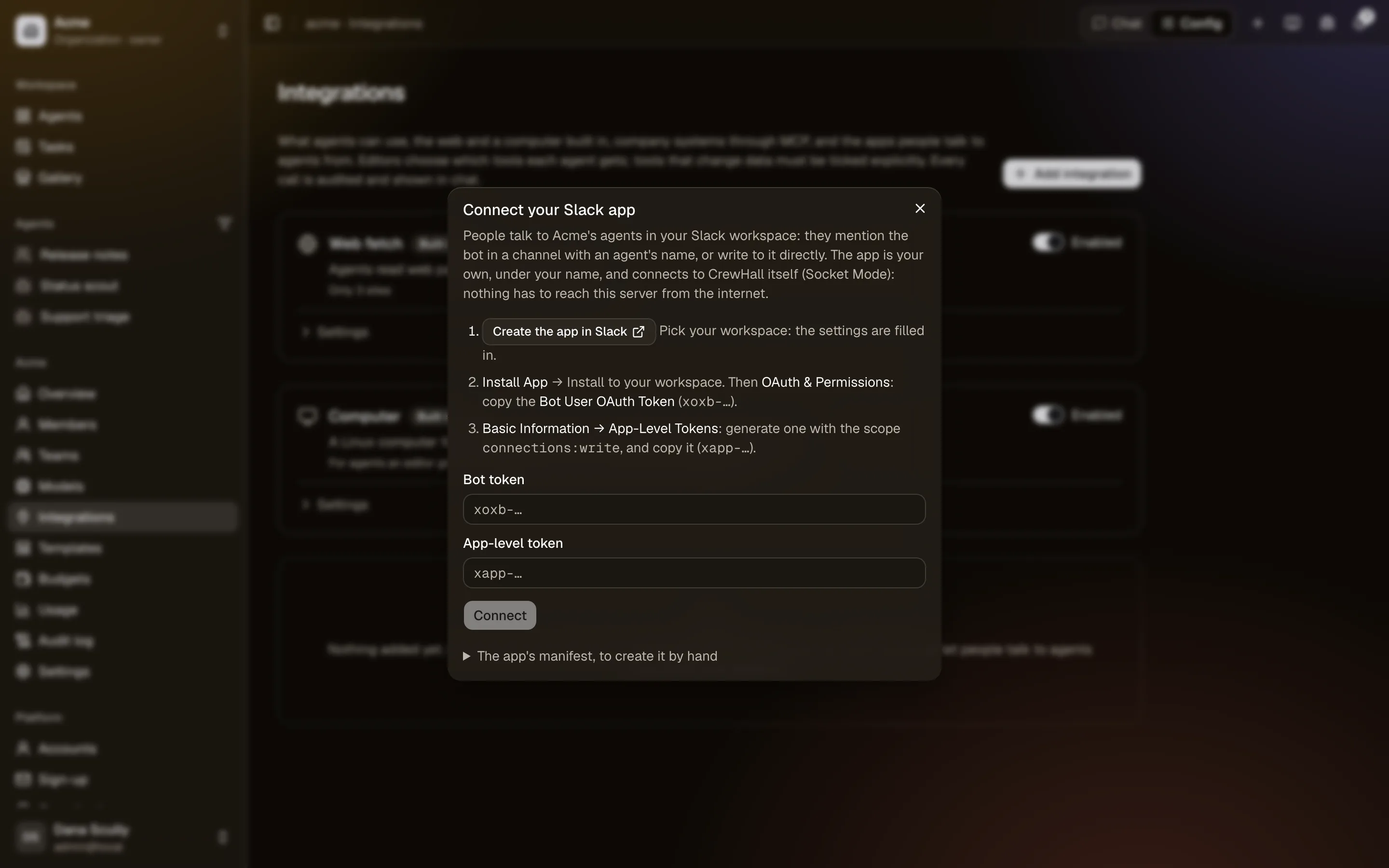
Connecting a workspace
Owners and admins of a space (or you, for your personal space) open Settings → Integrations, choose Add integration → Slack under Where people talk to agents, and connect a Slack app of their own: an app under your name that connects to CrewHall itself, so nothing has to reach the server from the internet. Create the app in Slack opens Slack with its settings filled in; install it to your workspace, then paste here its bot token (xoxb-…, under OAuth & Permissions) and an app-level token (xapp-…, under Basic Information → App-Level Tokens, with the scope connections:write).
Once connected, Slack shows in the space's integrations, with how people use it. A Slack workspace connects to one space, and a space to one workspace. Disconnect stops it; your app stays in Slack for you to delete.
Connecting your Slack account
Agents need to know who's asking. Once per workspace: Account → Slack → Connect Slack shows a code; send it to the bot in Slack, in a direct message: connect ACV8-EGJJ-NZQF. The code works once, for 15 minutes. The bot tells anyone it doesn't know yet how to do this.
Account → Slack lists the workspaces where you're connected; disconnect one there.
Talking to agents
- In a channel: invite the bot (
/invite @CrewHall, or your app's name), then mention it with an agent's short name (its slug):@CrewHall scout what changed today?. It answers in a thread under your message, under the agent's name. Mention it again in the thread to carry on; the agent reads what others said there since it last answered. - In a direct message to the bot: start with the agent's name the first time; later messages go to the same agent until you name another one.
agentslists the agents you can use there,newstarts a new conversation with the current one. When the space has a single agent you can use, you don't need to name it.
Only the space's agents answer there, and only to people they're shared with. An agent works as you: your access, connected accounts and budget; conversations are ordinary ones, in your chat list in CrewHall.
Buttons
When an agent wants to change data in an integration that asks first, its message has Approve and Reject; a proposed task has Create task, a proposed change Apply. Only the person it's for can press them: anyone else is told so, privately.
Privacy
What you ask and what agents answer pass through Slack, and everyone in the channel reads the answers: ask in a direct message for anything private. CrewHall keeps your Slack user id and name until you or the space disconnect.