
Spaces and organizations
Everything in CrewHall belongs to an owner, and there are two kinds.
Your personal space is created with your account and named after your username. Agents you make there are yours: private until you share them, and nobody else — not your organization's admins, not the platform's — can see them.
An organization is shared. Its agents, model keys, integrations, budgets and usage belong to it rather than to whoever happened to create them, so work survives people leaving.
Any confirmed account can create an organization and becomes its owner.
Roles
| Role | Can |
|---|---|
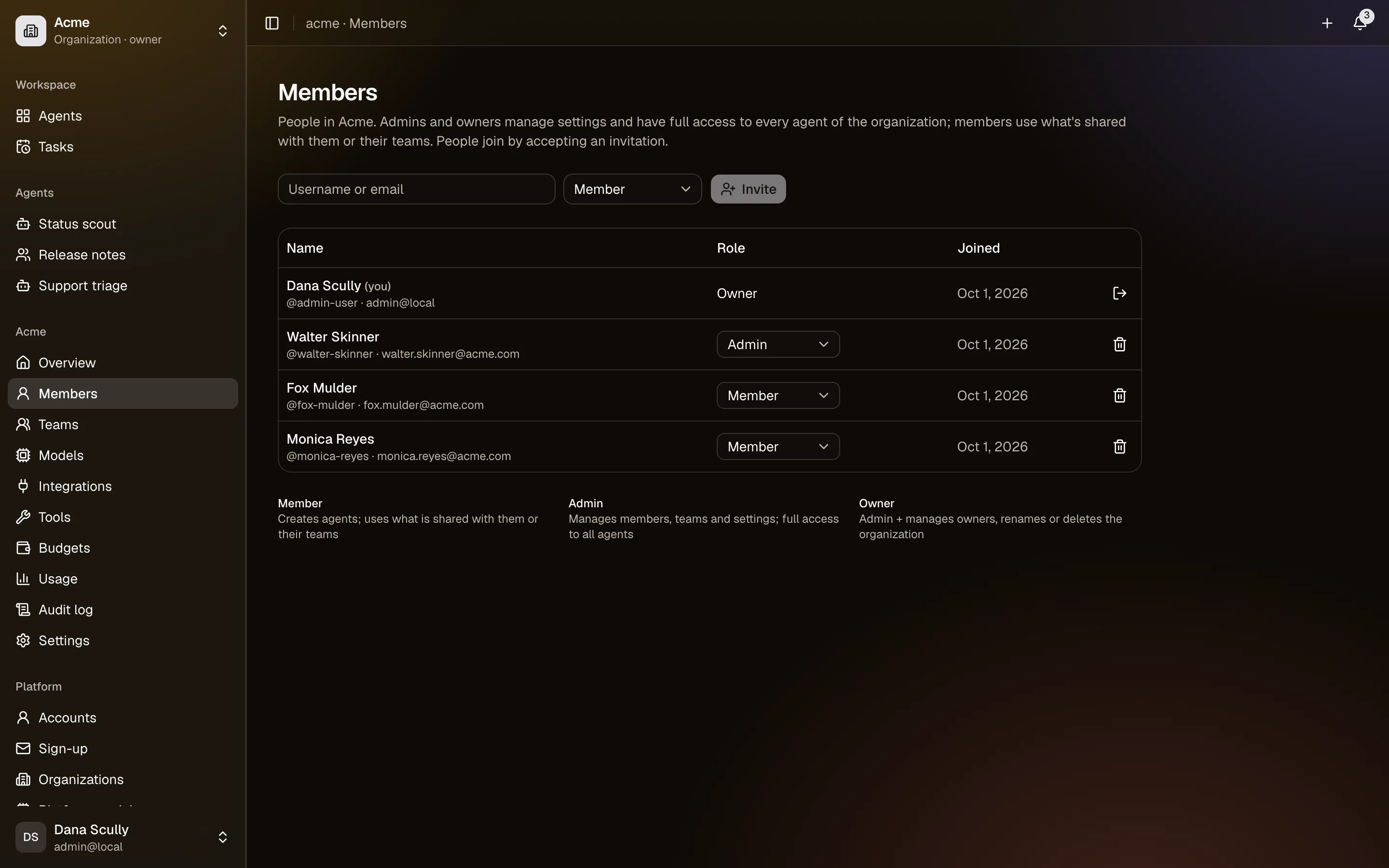
| Member | Create agents in the organization; use what is shared with them or their teams |
| Admin | Everything a member can, plus members, teams and all settings, and full access to every agent |
| Owner | Everything an admin can, plus managing owners, renaming and deleting the organization |
An organization always keeps at least one owner. Only owners manage owners.
An admin has full access to every agent in the organization, including ones a member made there. That is what makes an organization a shared space rather than a folder — if someone wants something private, it belongs in their personal space.
Inviting people
Nobody is added to an organization without agreeing. Owners and admins invite by username or email address; the invitation appears in the person's Invitations page, and by email, and they accept or decline. Invitations last fourteen days.
An invitation sent to an address that has no account yet carries a link that lets its holder sign up, even on a platform where sign-up is otherwise closed.
Removing someone takes away their access to the organization's agents and removes them from its teams. Agents they created stay with the organization.
Teams
A team is a named group of the organization's members. Share an agent with a team and everyone in it gets that access, now and as people join or leave.
Teams live in Settings → Teams, and only the organization's own members can be in them.
Leaving and deleting
Leave from the Members page, or from Account → Organizations. The last owner cannot leave until someone else is made owner.
Deleting an organization deletes everything it owns — agents, their memory and conversations, teams, keys, integrations, budgets and tasks. You type its name to confirm. It cannot be undone.