
Appearance
What CrewHall is
CrewHall is a place where a team keeps its AI colleagues.
An agent here is not a chat window with a system prompt pasted into it. It is something you write once and then share: a role, a model, a set of tools it may use, a memory that survives between conversations, and a record of who changed it and when. People you give access to can talk to it; people you don't, can't see it at all.
The shape of it
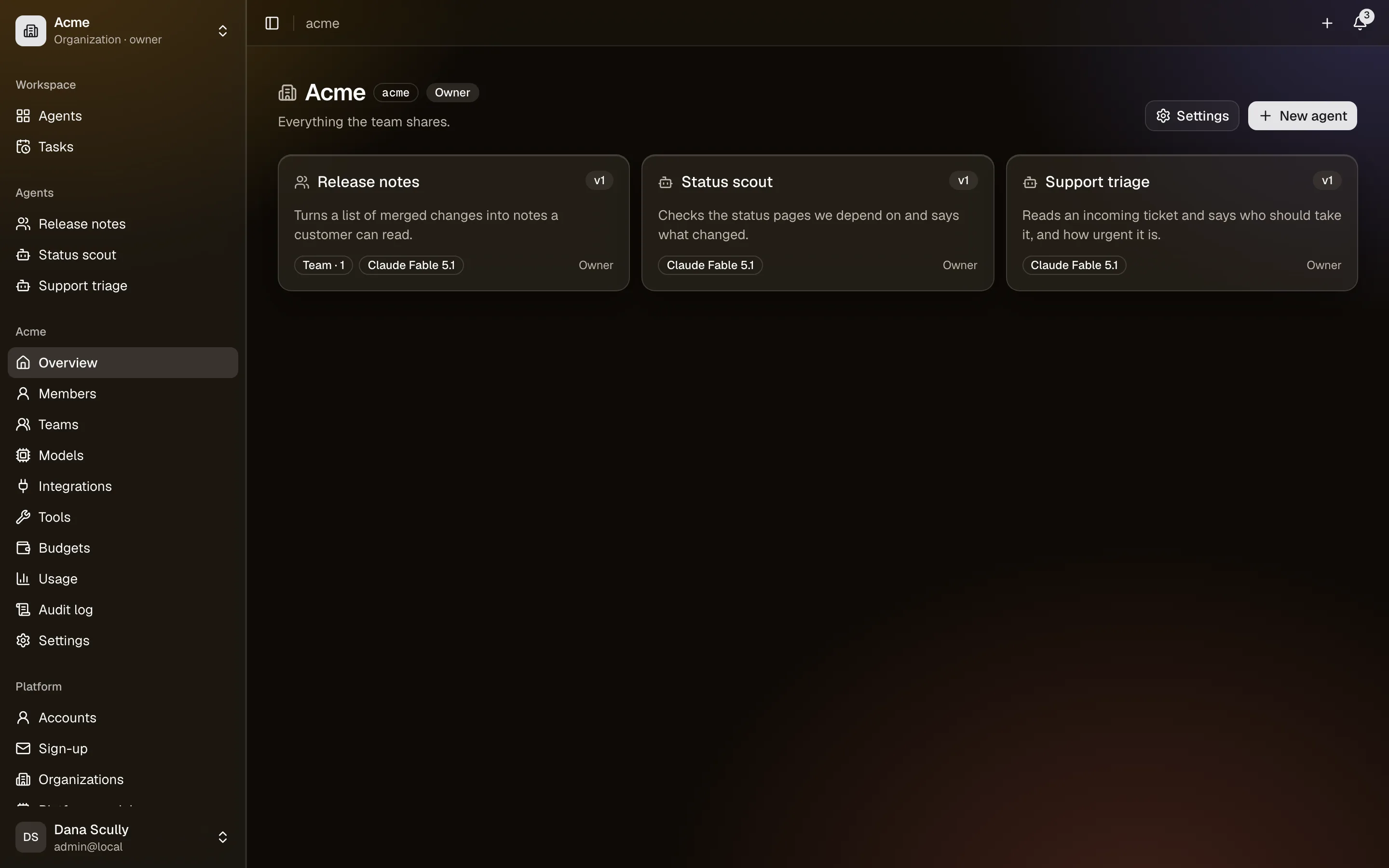
Owners. Everything belongs to someone. You get a personal space named after your username, and you can create organizations for shared work. Agents, model keys, integrations, budgets and usage all belong to one owner. This is the same arrangement as GitHub: /philippe is yours, /acme is the company's.
Agents. An agent belongs to an owner, is written as a draft, and is published as a version. People use the published version while you edit the next one.
Access. Four levels, from talking to it up to rewriting it. See Sharing and access.
Conversations. Anyone with access chats with the agent, typing or speaking, in one conversation that carries on (or several, if its editors allow it). What they say is private to them; what the agent learns can be shared, if you let it. See Memory.
Halls. In an organization, colleagues also talk together in halls, and mention an agent with @ to bring it into the discussion; in your personal space, a hall lets you talk with several agents at once. See Halls.
What an agent can actually do
Beyond answering, an agent can:
- search the web and read pages, any public website unless you narrow it (Tools);
- work on a Linux computer of its own, with files that last (Tools);
- reach your company's systems: Slack, Google Drive, Notion, GitHub, GitLab, Jira, Grafana, through integrations, acting either with a shared account or with the account of whoever is asking, and asking first before it changes anything;
- hand work to other agents, its coworkers;
- run on a schedule, or when something happens (a pull request, an alert, a new email), and tell you what it found (Tasks).
The web is on for every agent wherever its space has it, until an editor turns the agent's Search the web or Read web pages switch off. The rest is off until someone turns it on, at three levels: the platform offers it, the owner enables it, and an editor gives it to a particular agent.
Where people reach it
In CrewHall's chat and halls, and also where they already are: in Slack, on Telegram, and from scripts and CI with API keys. It's the same agent everywhere, with the same access rules, and every conversation lands in the person's chat list.
Starting points
The gallery has ready-made roles (a developer, a lawyer, an accountant…) and agents other people shared; start from one, or let an agent interview you about its job. Before you publish a change, its tests show which answers got better or worse.
Where things are
The sidebar has two views, switched in the top bar: Chat, to talk to agents, and Config, to build them. In Config, the pages under a space's name are its settings (Models, Integrations, Tools, Templates, Budgets, Usage, Audit log; Members, Teams and Settings for an organization); this guide writes them Settings → Models. Integrations lists both the services agents use and the apps people talk to agents from (Slack, Telegram). Things that are yours rather than a space's are under Your account.
What it is not
- Not a model. You bring the model, either your own API keys or ones the platform offers.
- Not autonomous by default. An agent does what someone asks, when they ask, unless you give it a schedule.
- Not a black box. Every model call and every tool call is in the audit log with who caused it, and every penny is in the usage page, at prices that follow the providers' public ones.
Where to go next
- Your first agent: fifteen minutes, start to finish.
- Writing an agent: soul, instructions, and what the difference is.
- Run it yourself: on your own server, with every feature, free (license).