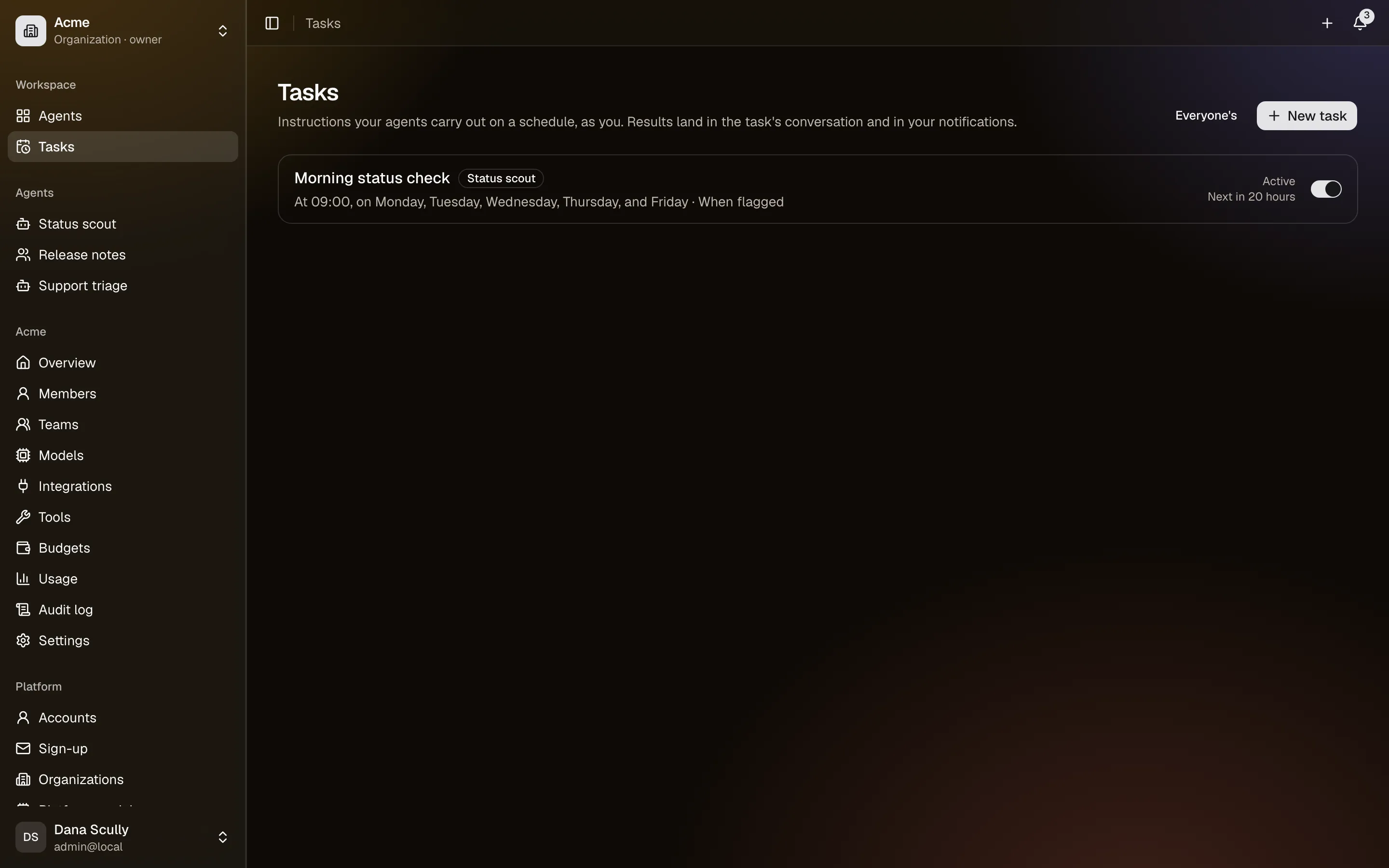
Scheduled tasks
A task is an agent, an instruction and a schedule: "every weekday at 09:00, check the status page and tell me if anything is wrong".
Creating one
Tasks → New task, or Schedule on an agent page. You choose:
- the agent — any published agent you can use;
- the instruction — exactly what you would have typed in chat;
- the schedule — a preset (hourly, daily, weekdays, weekly, monthly) or a cron expression, always with a time zone, so "09:00" stays 09:00 across daylight-saving changes. A preview shows the next few runs before you save. Runs are at least five minutes apart.
It runs as you
A task runs with your identity and access: your usage, your budget, your integration connections. Treat it as a message you sent yourself.
Before each run CrewHall re-checks that you still have access and that the agent is still publishable. If something has changed — the agent was archived, your access was removed, the model was disabled — the task is paused with the reason, and you are told. Fix it and resume.
Where runs live
Each task has its own conversation. Every run adds the instruction and the report to it, so you can read the whole history, see the tool cards, and reply to follow up on anything.
Each run starts fresh from the instruction: it does not remember the last one. Anything that should carry over belongs in the agent's memory.
Being told
Per task:
- after every run — for a short digest you want to read;
- only when it fails — for something that is usually quiet;
- when the agent decides — the agent gets a tool to raise a flag, and only uses it when something is worth your attention. Needs a model that supports tools.
Failures and automatic pauses always notify, whatever you choose.
Keeping it bounded
A task can have its own limit on model calls and tokens per run, under the platform's limits. Monthly budgets apply as they do everywhere else. If the server is down over a scheduled time, the run happens once when it comes back, not once per missed slot — and if the previous run is still going, the occurrence is skipped and recorded.
Run now runs it immediately, even while paused. Only you can run your tasks; an administrator can list and pause them, but not run them.